Markdown to PDF Resume Builder
Love maintaining your resume in Markdown and Git, but tired of fighting print CSS and page breaks? Paste or upload your .md file and turn it into a polished, template-ready PDF in seconds.
Read the detailsFour feature pages, each explaining the problem it solves, how to use it, and where its limits are. All of them work without an account.
Love maintaining your resume in Markdown and Git, but tired of fighting print CSS and page breaks? Paste or upload your .md file and turn it into a polished, template-ready PDF in seconds.
Read the detailsOnly have an outdated PDF from two years ago and dread copying every line by hand? Upload your existing PDF, turn it into clean editable sections, switch templates, and export a fresh PDF in minutes.
Read the detailsGreat candidates often undersell themselves with vague task lists. Lucky Resume combines focused AI bullet polishing with full-resume grammar checks—helping your writing read sharper while staying 100% true to your voice.
Read the detailsToo many resume websites call themselves free—until you spend an hour writing and hit a subscription paywall on export. Lucky Resume requires no sign-up, adds zero watermarks, and keeps your personal data strictly on your own device.
Read the detailsPaste Markdown or upload an existing PDF; the parsed fields are shown for review before anything is saved.
Rewrite bullets paragraph by paragraph, then run a grammar and typo pass over the whole document.
Apply a template, confirm the page count, and export a watermark-free PDF whose text stays searchable.
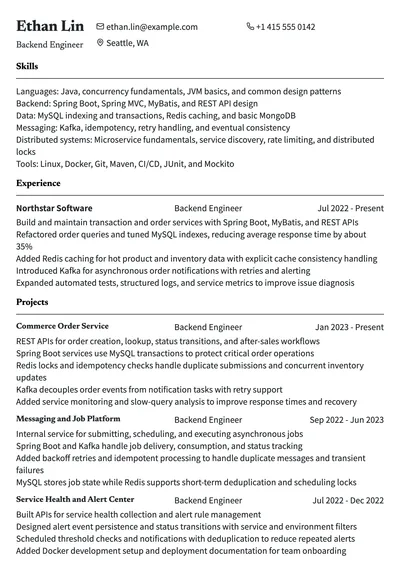 Classic Single-Column Resume Template
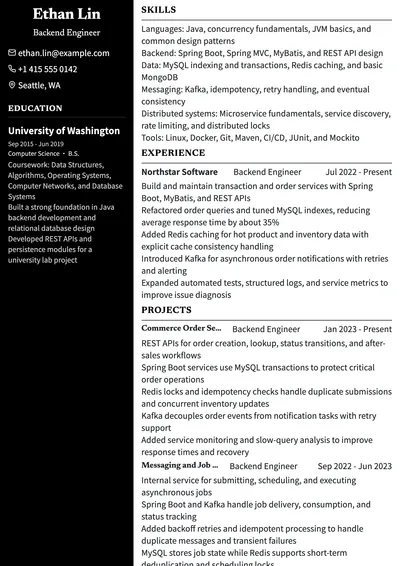 Modern Two-Column Resume Template
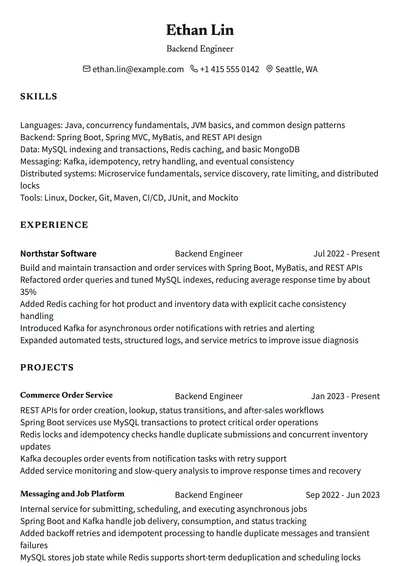 Minimalist Resume Template