Upload .md Files or Paste Directly
Supports UTF-8 .md / .markdown files up to 128 KB with no rigid proprietary syntax required.
Love maintaining your resume in Markdown and Git, but tired of fighting print CSS and page breaks? Paste or upload your .md file and turn it into a polished, template-ready PDF in seconds.
Supports UTF-8 .md / .markdown files up to 128 KB with no rigid proprietary syntax required.
Automatically maps profile info, education, experience, projects, skills, and publications—with a full review step before creating.
Switch between Classic, Minimalist, Editorial, Swiss, and more without rewriting a line of CSS.
Export your refined resume right back to clean Markdown or JSON anytime for Git version control.
Click Import Markdown Now and upload a .md file or paste your existing Markdown resume.
Verify all recognized education, work history, projects, and skills before creating the resume.
Pick from 9 layouts and adjust font size, line height, margins, and accent color with live A4 preview.
Download a crisp, selectable-text PDF locally—plus Markdown or JSON backups whenever you want.
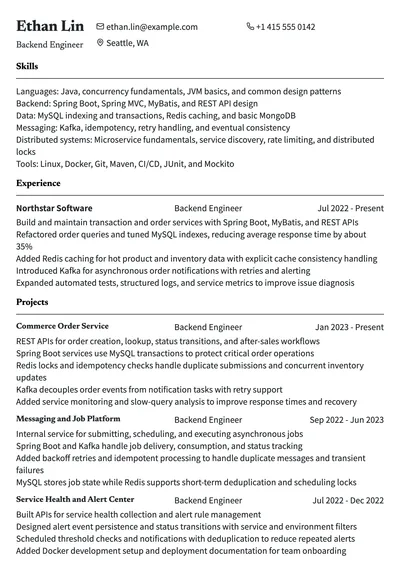 Classic Single-Column Resume TemplateClean, recruiter-trusted single-column layout built for ATS accuracy
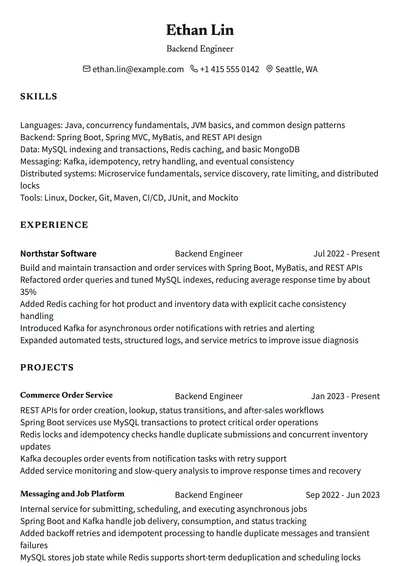 Minimalist Resume TemplateGenerous whitespace and crisp typography that let your impact speak
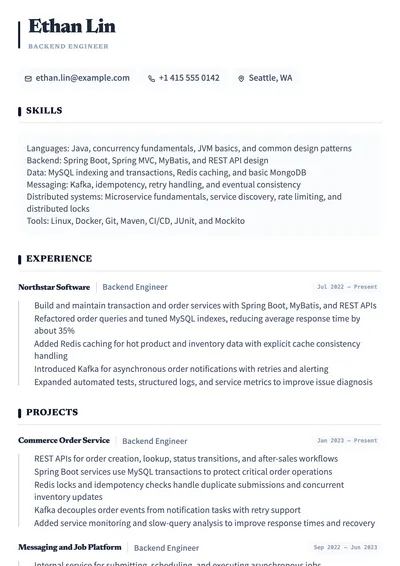 Swiss Grid Resume TemplateInternational Typographic Style with bold weight contrast and rational grid order
No. Standard Markdown headings and bullet lists work out of the box—AI parses the structure and lets you review everything first.
Yes. Lucky Resume supports exporting to PDF, PNG, JSON, and clean Markdown.
Your resumes are saved locally in your browser; when using AI import, content is sent only to the model provider you configure.