Zero Account, Zero Email Wall
Open the editor and start writing immediately—no registration, no verification emails, no spam.
Too many resume websites call themselves free—until you spend an hour writing and hit a subscription paywall on export. Lucky Resume requires no sign-up, adds zero watermarks, and keeps your personal data strictly on your own device.
Open the editor and start writing immediately—no registration, no verification emails, no spam.
Export crisp vector PDFs, browser print layouts, long PNG images, Markdown, and JSON completely free.
Your personal contact details and career history stay in your browser—with optional sync to a local folder on your computer.
Export a full JSON snapshot anytime and import it on another device without ever locking your data in the cloud.
No sign-up form—start from a clean template or import your existing PDF or Markdown resume.
See exact page breaks, typography, and spacing update as you type.
Save automatically in your browser, sync to a local folder, or export a JSON backup file.
Export an application-ready, watermark-free PDF in one click.
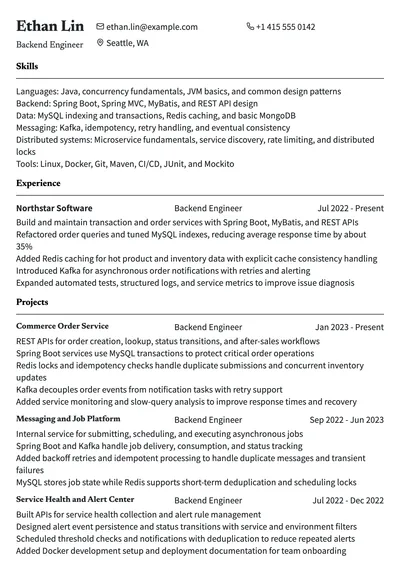 Classic Single-Column Resume TemplateClean, recruiter-trusted single-column layout built for ATS accuracy
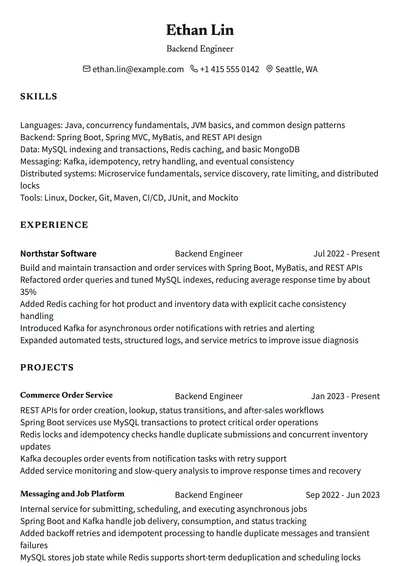 Minimalist Resume TemplateGenerous whitespace and crisp typography that let your impact speak
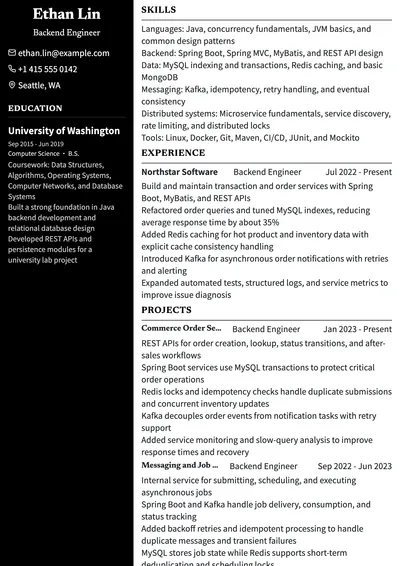 Modern Two-Column Resume TemplateHigh-density two-column layout showcasing skills and experience side by side
None at all. Every template and every export format (PDF, PNG, Markdown, JSON) is completely free with zero watermarks.
Yes. Your work is saved automatically in your browser's local storage. For long-term safety across devices, export a JSON backup or enable local folder sync.
Export your resume as JSON on the first computer, then use Import JSON on the second device to restore every word and style setting.